

Working in Stru
Work in a Project Folder
Point every chat at the job's folder so drawings, calcs, models, and deliverables stay together, and each new conversation picks up where the last one left off
One Folder, Every Chat
Pick the job’s project folder when you start a chat, and the agent works inside it: it reads the drawings already there, and every calc sheet, workbook, report, and model it makes lands beside them. The next conversation on the same job starts with all of that in reach.
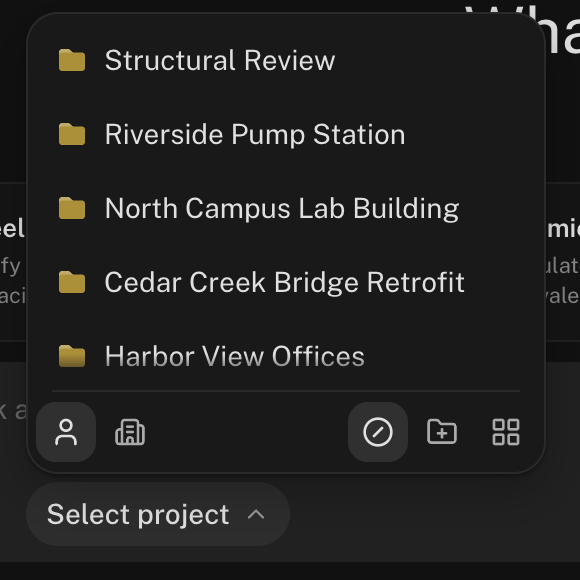
Without a project, a chat still keeps its files, in its own folder under Documents. Pick a project whenever the work belongs to a job.
Set It Up
Create the project and load it
In Files, open Projects, click New Folder, and name it after the job. Upload the drawings, specs, geotech report, and anything else the job runs on. Organize it the way you would on a shared drive: Drawings, Calcs, Reports.
Pick it when you start a chat
Click Select project in the message box and choose the folder. It’s also where New project creates one on the spot. The choice is made with the first message and stays for the conversation.
Ask with the job's files in reach
Tag the sheet you mean with @, or just name it: the agent can find it in the folder.
@S-201.pdf Check the typical W16x40 floor beam on grid C
between 3 and 4 for the loads in the general notes. Save the
calc in Calcs/.
Find the result where you expect it
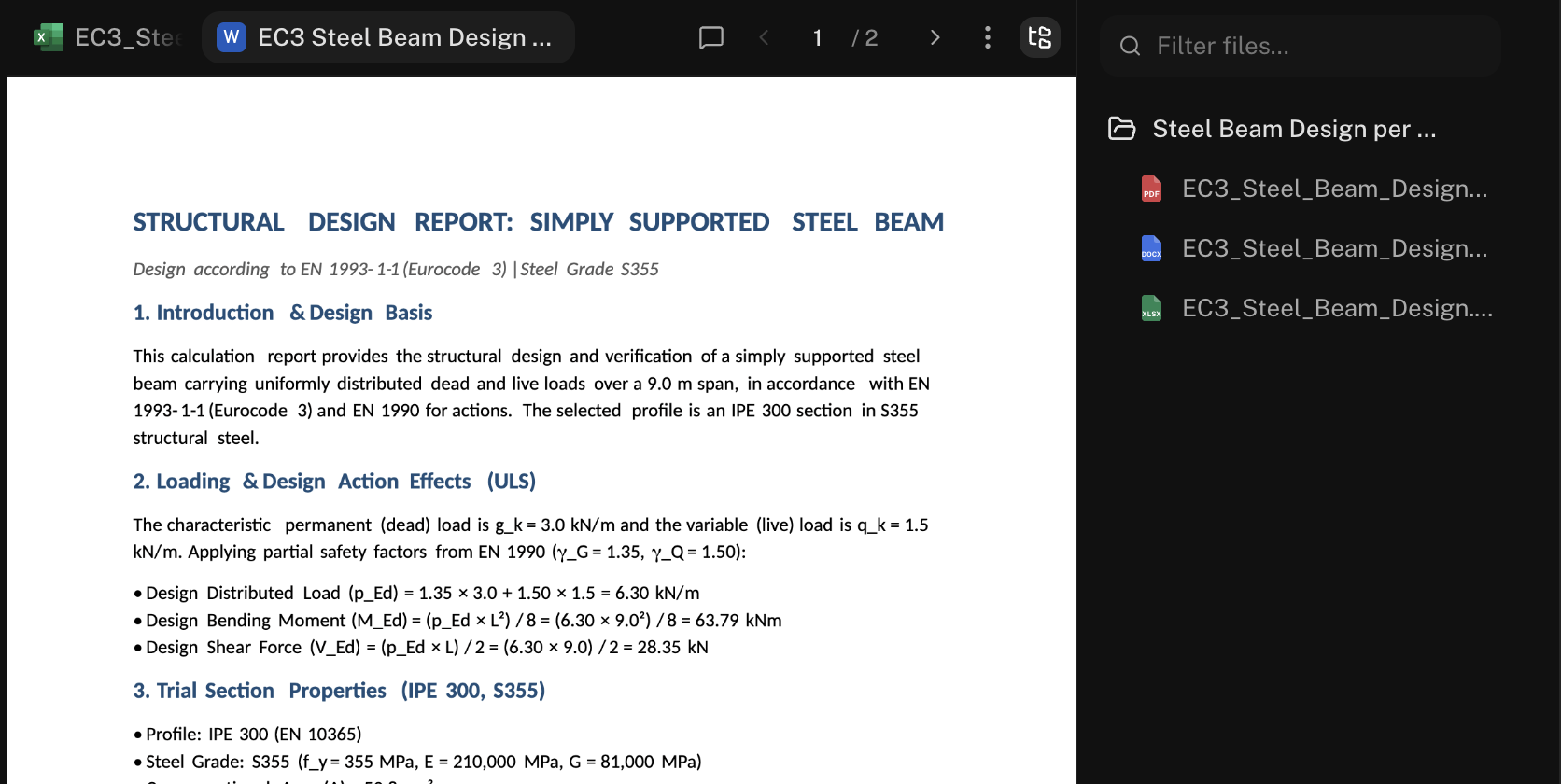
The deliverable lands in the project, in the subfolder you named. Open the Canvas file tree to see the whole folder from the chat, or Open in Files to jump there.
Pick Up Where the Last Chat Left Off
Every conversation on the job sees the same folder, so the next one builds on the last:
Use the beam reactions from Calcs/beam_C3-4.xlsx to check the
column on grid C3. Same code and load combinations.
Upload a revised sheet into the project in Files and it’s there for any chat on the job, including one that’s already running.
Share the Job
Share the project folder once with Manage access and your team works from the same set: their chats in that project see the same drawings and every deliverable yours produced. Organization projects are shared with your organization from the start.
Standards stay separate. Your templates live in a standards folder, not in the project. Switch My standards on in the + menu and the agent formats the job’s deliverables your way.
Next Steps
Run Several Chats at Once
Split a job across parallel conversations.
File Management
Project folders, Trash, and client uploads.
Using the Chat Input
The project picker and the rest of the message box.
Your Standards Folder
Deliverables in your firm’s format.
Questions? Email support@stru.ai or book a call.