

The Answer, With the Clause Quoted
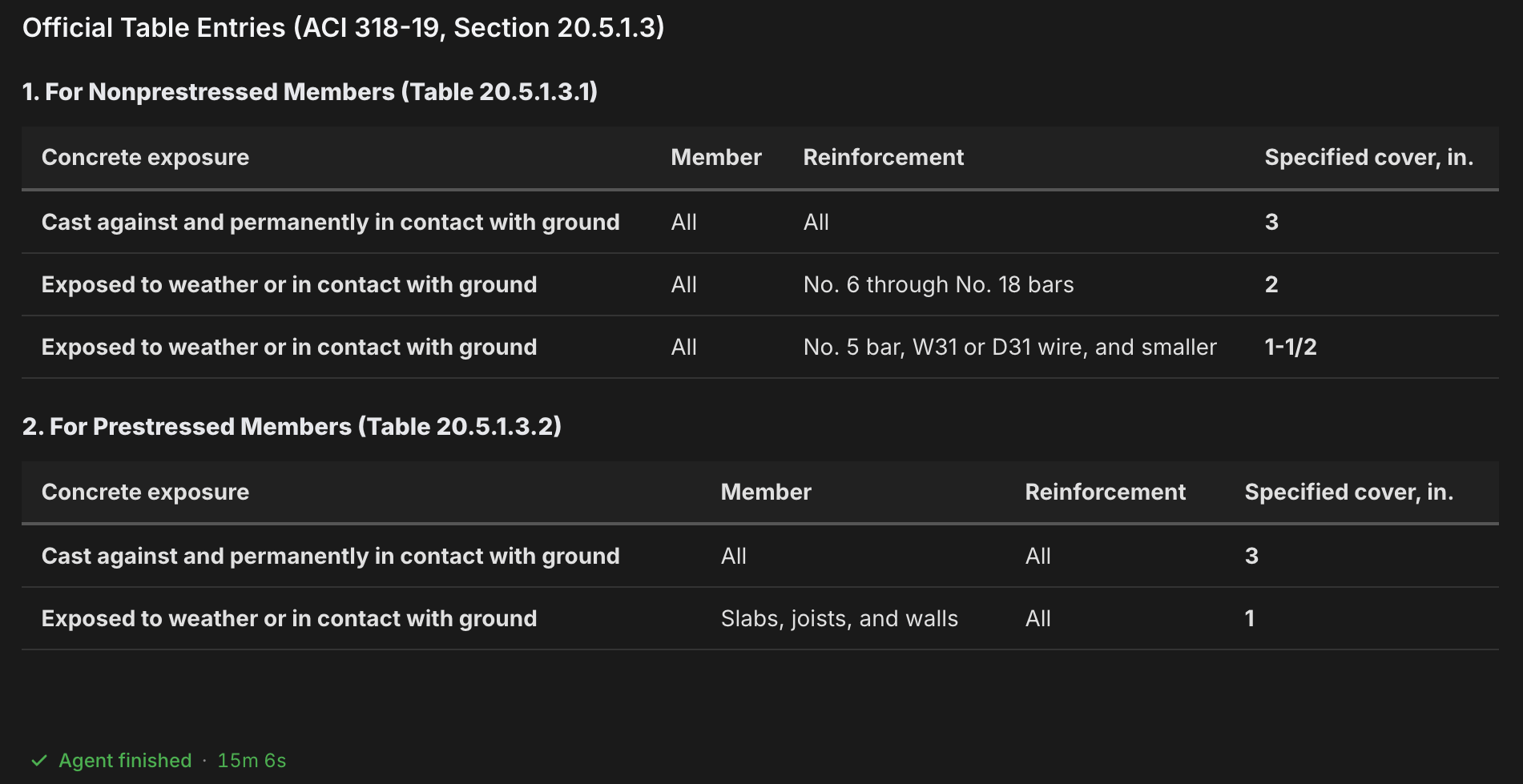
Name the code, the edition, and the jurisdiction in your question, and ask the agent to quote the clause text it used. The answer comes back with the governing section cited and quoted, ready to drop into a submittal response or a reply to a reviewer comment. The pattern works across disciplines: an architect confirming a fire rating, a civil engineer checking cover on a buried structure, an engineer settling which load combination governs. Same question shape every time.A reviewer-ready question
Find the Code First
The design standards the agent works from are listed inside the app, filtered to your region. Check there before you write the question.1
Set your design standard
The selector next to the agent name at the top left sets which family of codes the agent works from, and filters what the @ picker shows.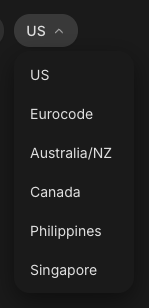
2
Browse the @ Standards picker
Type @ in the message box. The green Standards section lists the design codes available for your selected standard, and typing after the @ searches them. That list is live in the app and is the source of truth for what is available in your region. The Mentions guide covers the picker in full.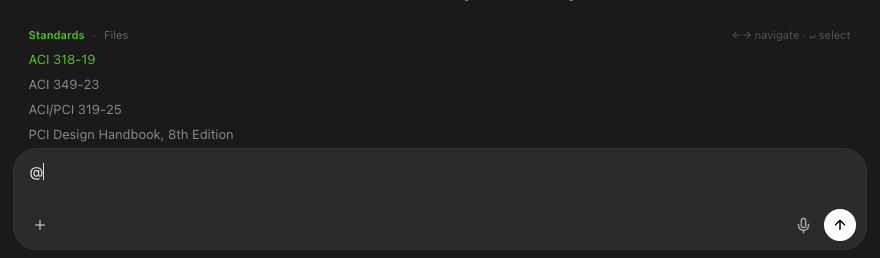
3
Tag the code, or name it in the prompt
Press Enter on a code to tag it as a green chip, which pins the exact document. Naming the code and edition in the prompt works too. Either way, the answer cites the document you asked for.
Questions That Get Reviewer-Ready Answers
The same shape works from any desk:Fire rating and egress
Load combinations
Push Past the First Answer
A good answer is a starting point. Two follow-ups turn it into a finished response:- Ask what a reviewer would raise. “What other sections could a reviewer cite against this detail?” surfaces the questions before the comment letter does.
- Work from the actual comment. Attach the reviewer’s comment letter or the marked-up sheet, or tag it with @ if it is already in your Files area, and ask for a point-by-point response with citations.
Next Steps
Mentions & Attachments
How the @ picker works: standards, files, and foldersMentions guide
Local Codes & Languages
Work in your own language and jurisdictionLocal Codes & Languages
Wind & Seismic Loads
Site hazard parameters by address, with referencesWind & Seismic Loads
Design Checks
Turn a code answer into a full element checkDesign Checks
Questions? Email support@stru.ai or book a call.