

Your Numbers, Checked
The auditable way to verify a model: export the results tables from ETABS or SAP2000 to Excel or CSV, attach the export, and ask for the check. The agent works from your numbers, and every conclusion traces back to a row in your export, which is what makes the check reviewable by anyone who picks it up after you. The pattern works on any model you can export from: your own, a subconsultant’s, or a legacy model you inherited. Common checks:- Verify drift limits: every story against the code allowable, with the governing story called out
- Spot-check member DCRs: find the members near or over 1.0 and see what drives them
- Sanity-check reactions: total the base reactions and compare them with your hand tally of the gravity load
The Pattern
1
Export the tables that carry the answer
In ETABS or SAP2000, export the results tables you need to Excel or CSV: story drifts for a drift check, joint reactions for a reaction check, the steel or concrete design summary for DCRs. Export only the load cases and combinations that matter for the question; a focused export makes a focused check.
2
Attach the export and confirm the agent sees it
Attach the file with the + button, or tag it with @ if it is already in your Files (Mentions guide). Then open with:The reply confirms the agent is working from your export, sheet by sheet, before any checking begins. With the export attached, the opening message looks like this: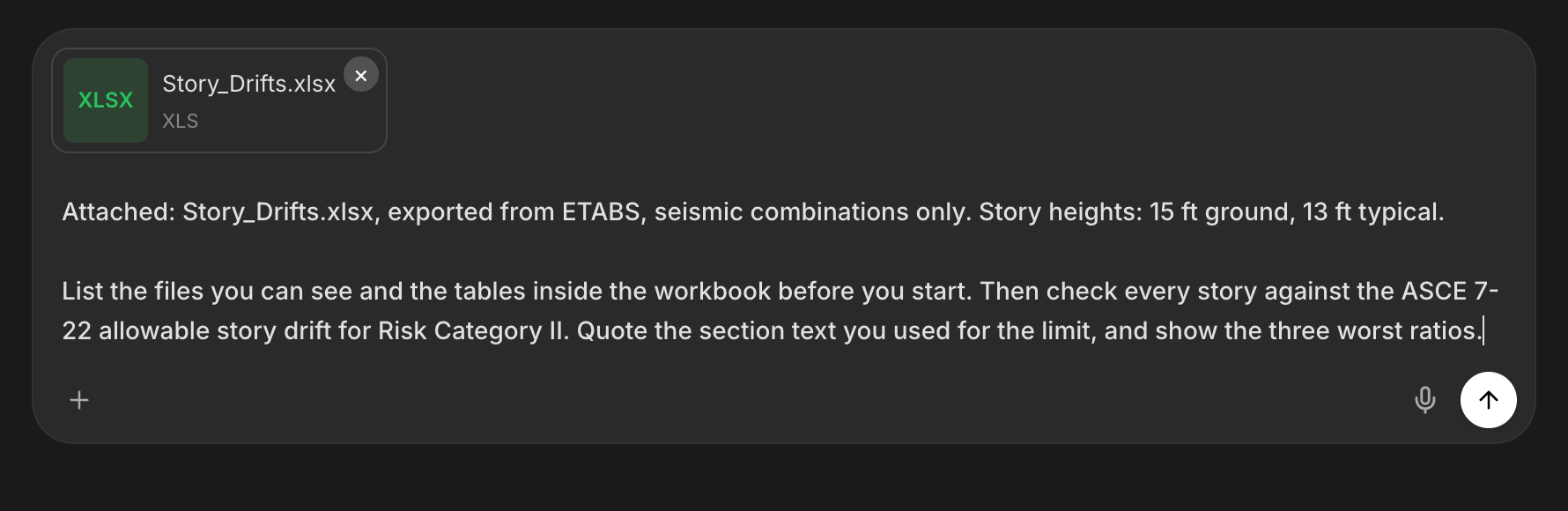
3
Give the context the numbers do not carry
Code and edition, units, story heights for drift ratios, which combinations are seismic and which are wind, and what limit applies. The export holds the results; you hold the meaning. A complete brief gets a complete check.
4
Ask for one check at a time
Drift first, then DCRs, then reactions. Each check gets its own request and its own traceable answer. Batching them into one prompt blurs which number answered which question.
Three Checks That Work Well
- Drift limits
- Member DCRs
- Reactions vs hand calc
Example: drift check
Push Past the First Answer
Two follow-ups turn a check into an audit:- Have it read the governing number back. “Walk me through the governing story: which combination, which direction, and the exact rows in my export that produced the ratio.” The answer should point at your data, row by row.
- Ask what was not checked. “List every check you did not run on this export.” The reply becomes the plan for the next export: torsional irregularity, uplift, service-level drift, whatever the first pass left out.
Next Steps
Design Checks
Full independent checks for the members the export flagged.
Design Spreadsheets in Excel
Turn the check results into a workbook for the calc package.
Build Models in ETABS & SAP2000
The staged workflow for building the model in the first place.
ETABS & SAP2000 Agents
Drive the software live from the desktop app.
Questions? Email support@stru.ai or book a call.