

From Prompt to .mcdx
Ask the Structural Agent for a calc as a Mathcad sheet and the finished file comes back as a .mcdx download with a PDF report alongside: header, assumptions, code references, the calculations, and the final design check, laid out to be reviewed line by line. The whole workflow fits in one exchange: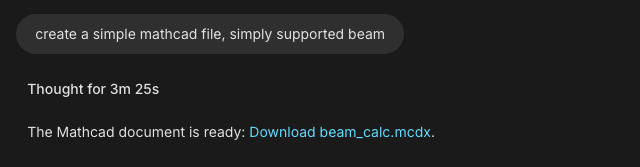
Step-by-Step
1
Describe the check
Give the brief in one message (geometry, loads, materials, code, units) and end with “deliver as a Mathcad calc sheet”. Design Checks covers the brief in depth; here is one for a full package:Need the site parameters first? See Wind & Seismic Loads.
Example: wind pressure package
2
Watch it build in the Canvas
The sheet takes shape in the Canvas beside the chat: header first, then assumptions, code references, calculations, and the design check.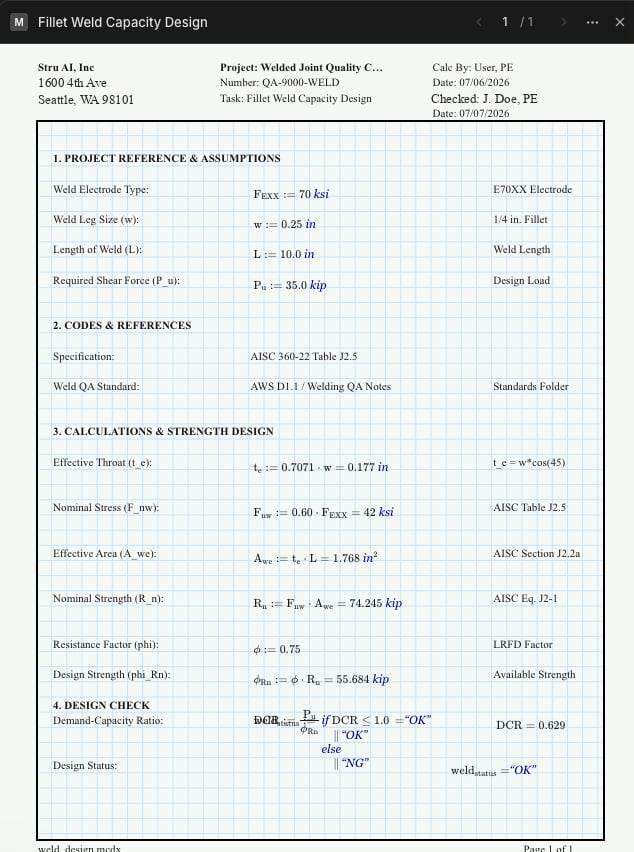
3
Refine it in conversation
Follow-ups edit the same sheet: “tighten the deflection check”, “add the roof uplift case”, “switch the exposure to D and update everything downstream”. Keep each request to one change and the sheet stays clean.
4
Download the deliverables
The finished files arrive as download links in the chat: the .mcdx, a PDF report, and the supporting files, all saved to your Files area automatically.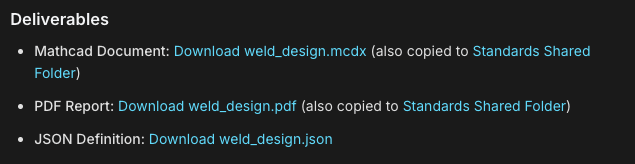
Rebuild an Excel Sheet as Mathcad
Firms keep years of design spreadsheets. Tag one and have it rebuilt as a calc sheet with the math written out:Example
Read It Back Before You Sign
The last step of a strong session is a walkthrough. Ask the agent to read the finished sheet back:Example
On Your Firm’s Letterhead
Every sheet carries a project header you control: project name, number, task, calc by, checked by, dates, address, and your company logo from the Standards folder. Set the fields once and the .mcdx and the PDF both come out looking issued. The setup is Branded Reports.Next Steps
Design Checks
How to write the brief that gets a complete calcDesign Checks guide
Branded Reports
Header fields and your firm’s logo on every sheetBranded Reports guide
Excel Spreadsheets
The same calcs as workbooks with live formulasExcel Spreadsheets guide
The Canvas
The workspace where the sheet takes shapeCanvas guide
Questions? Email support@stru.ai or book a call.