

A Structured Review, in Chat
Attach the documents, say what each one is, and ask for the review. This is the conversational pattern for reviewing specific documents (a submittal, a spec section, two competing proposals, a Basis of Design) against each other or against your design documents, with findings you can act on. It works across the disciplines a project throws at you: a fabricator’s steel submittal against the structural drawings, an architectural door schedule against the spec, an MEP shop drawing against the design intent, a contractor’s proposal against the tender documents.Three ways to review, one habit of checking. This page is the chat review of documents you attach or tag. The Review Agent is for conversations across a whole ingested drawing set. A Drawing Review is the formal, set-wide QA/QC run that produces a findings report. Start here for specific documents; move up when the question covers the whole set.
How to Run One
1
Attach the documents and give each a role
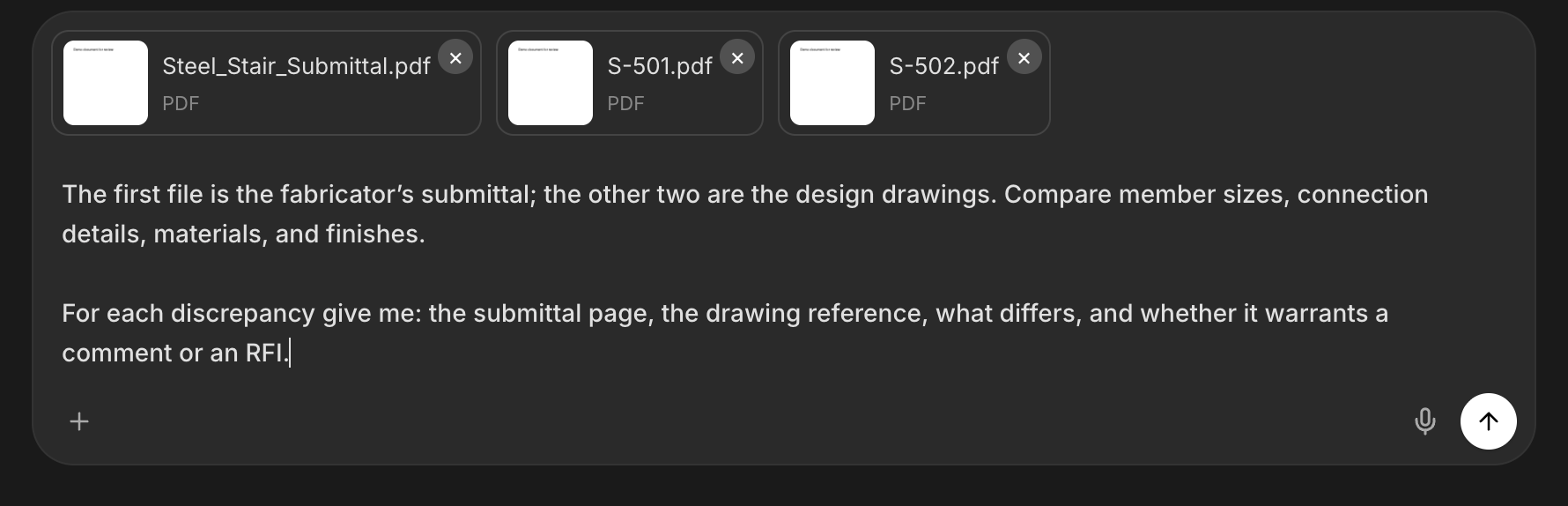
Attach with the + button, or tag files already in your project with @ (Mentions guide). Then assign roles in plain language: “The first file is the submittal; the other two are the design drawings it must match.” Before the review starts, ask the agent to list the files it can see, so the review runs on everything you sent.
2
Say what a finding looks like
Ask for a structured review and define the structure: each finding with its location in both documents, what differs, why it matters, and the suggested action. Name your code and jurisdiction, and ask the agent to quote the clause text behind any code-based finding, so every citation is ready for a reviewer to verify.
3
Push on the gaps
After the first pass: “List everything you did not compare.” The answer tells you whether the review covered dimensions but not finishes, or details but not notes, and becomes the brief for the second pass.
4
Turn findings into action
Real discrepancies become RFIs (Generate RFIs & RFAs) or review comments. Ask for the findings as a comment log or comparison table when you need a file to circulate; name the format and the agent produces it.
Four Reviews Engineers Run
- Submittal vs drawings
- Two proposals side by side
- Design-risk read of a BoD
- Spec vs drawings
Example: submittal review
When the Question Covers a Whole Set
For questions that span every sheet of a project (“where is this detail called out?”, “does the callout on S-301 resolve?”), switch to the Review Agent: it works inside a project folder, follows callouts and cross-references between sheets, and cites the sheet and detail behind each answer.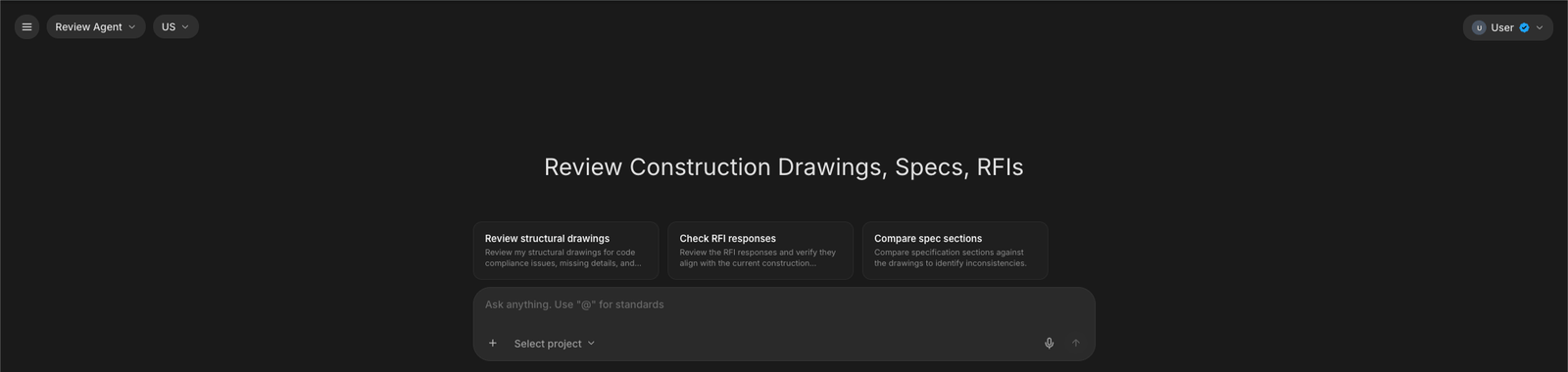
Next Steps
Review Agent
Chat with a whole drawing set: callouts, details, findings.
Drawing Review
The formal set-wide QA/QC run with a findings report.
Generate RFIs & RFAs
Draft the RFI once a discrepancy is confirmed.
Mentions & Attachments
Tag documents already in your project with @.
Questions? Email support@stru.ai or book a call.