

One Connection Per Request
Shear tabs, base plates, splices, welds: give the agent the member sizes, the factored loads, the material and bolt grades, and the code, and it returns a connection calc sheet laid out to be checked line by line. Design one connection per request: the shear tab lands, then the base plate, then the splice, each building on the last. The same brief works wherever the connection lives: a beam-to-column shear tab in an office building, a base plate under a transit canopy column, a welded splice on a pipe rack.A complete connection brief
Step-by-Step
1
Tag the sheet you are working from
Type @ in the message box and tag the framing plan or connection detail from your Files area, so the agent works from your geometry and your numbers instead of a description. The Mentions guide covers the picker.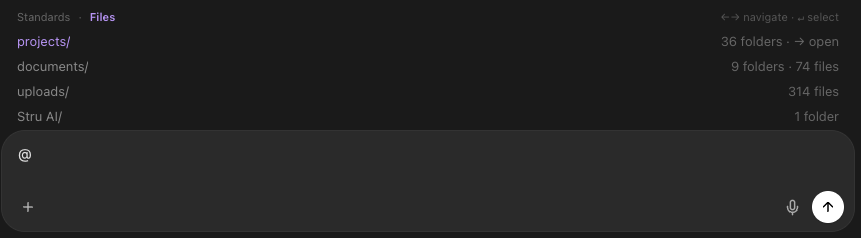
2
Send the brief for one connection
Cover the four things every connection calc needs:
- Geometry: the members being joined, and the plate or weld arrangement if you have one in mind
- Loads: the factored forces the connection must carry
- Materials: member and plate grades, bolt grade and diameter, electrode
- Code: the standard, the edition, and LRFD or ASD
3
Watch the calc take shape
The calc sheet builds live in the Canvas beside the chat: project reference, code references, each limit state checked with its spec section, and the final design status. The finished files arrive as download links; the deliverable side is covered in Mathcad Calc Sheets.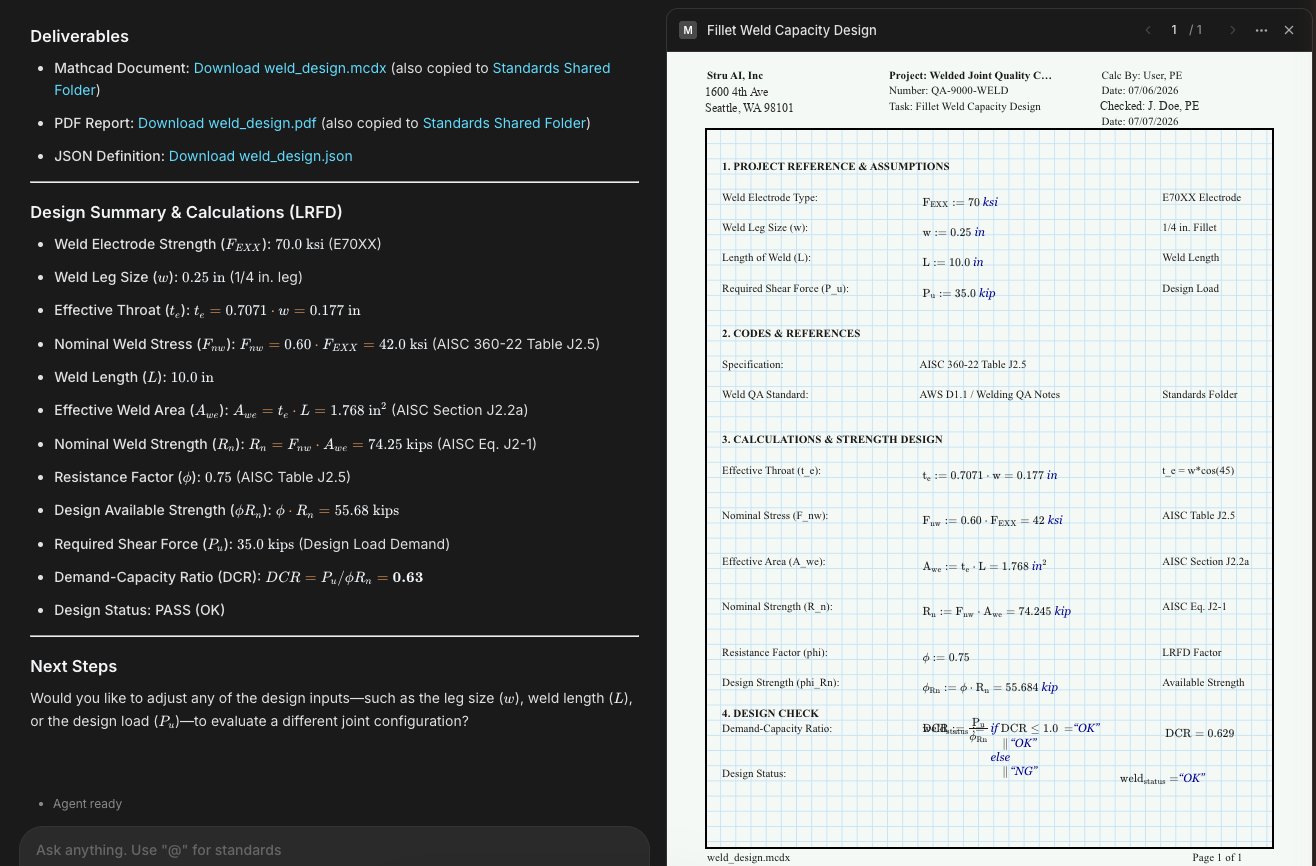
4
Ask what else to look at
One follow-up turns the draft into a plan:Prying action, block shear on the coped beam, weld access: whatever comes back is your checklist for the next request.
The follow-up
5
Move to the next connection
Keep the thread going and reference what is already on the table: “Now design the base plate for the same column, using the reactions from the shear tab calc.” One connection per request keeps every calc clean and checkable.
More Briefs That Work
Base plate
Weld check
Next Steps
Design Checks
The sibling workflow for members: beams, columns, footingsDesign Checks
Mathcad Calc Sheets
The calc deliverable: formats, downloads, checkingMathcad Calc Sheets
Branded Reports
Header fields and your logo on every sheetBranded Reports
Structural Agent
The agent behind this workflow, end to endStructural Agent guide
Questions? Email support@stru.ai or book a call.