

How-To Guides
Plans & Usage Credits
How plans, usage credits, top-ups, and member allocations work, and where to see what you've used
Credits Power the Work
Everything an agent does in a conversation (reading files, running calculations, building documents, driving SAP2000 and ETABS) uses usage credits. Your plan gives you a credit allowance; you see how much you’ve used in the account menu and on the Usage page, and you can buy more when you need them.
Drawing Reviews are a separate product with their own review page credits: see Review Pricing.
Plans
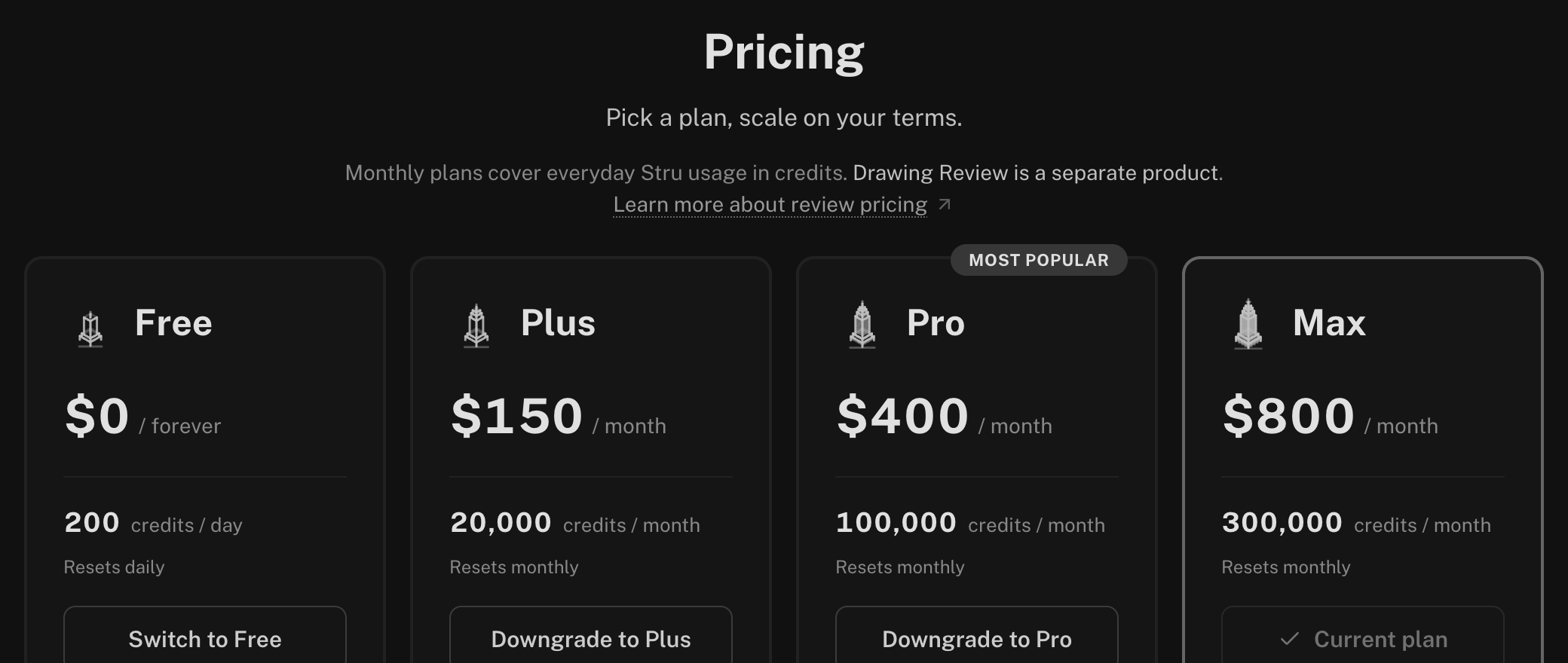
| Plan | Credits | Seats | Highlights |
|---|---|---|---|
| Free | 200 per day, resets daily | 1 | The Structural Agent with Mathcad and Excel calculations, SAP2000 and ETABS (Beta) |
| Plus | 20,000 per month | 1 | Everything in Free, a personal monthly pool, credit top-ups |
| Pro | 100,000 per month, shared | Unlimited | An organization: shared credit pool, shared folders, invites, owner, admin, and member roles, member allocations, usage analytics |
| Max | 300,000 per month, shared | Unlimited | Everything in Pro with three times the pool, dedicated email support and training, and early access to new features |
Bluebeam, the cloud computer, and Memory come with every plan.
Current prices and the full comparison are on the Pricing page: open the account menu in the top-right and choose Plans.
See What You’ve Used
- Account menu. The Usage row shows the share of your allowance used this cycle.
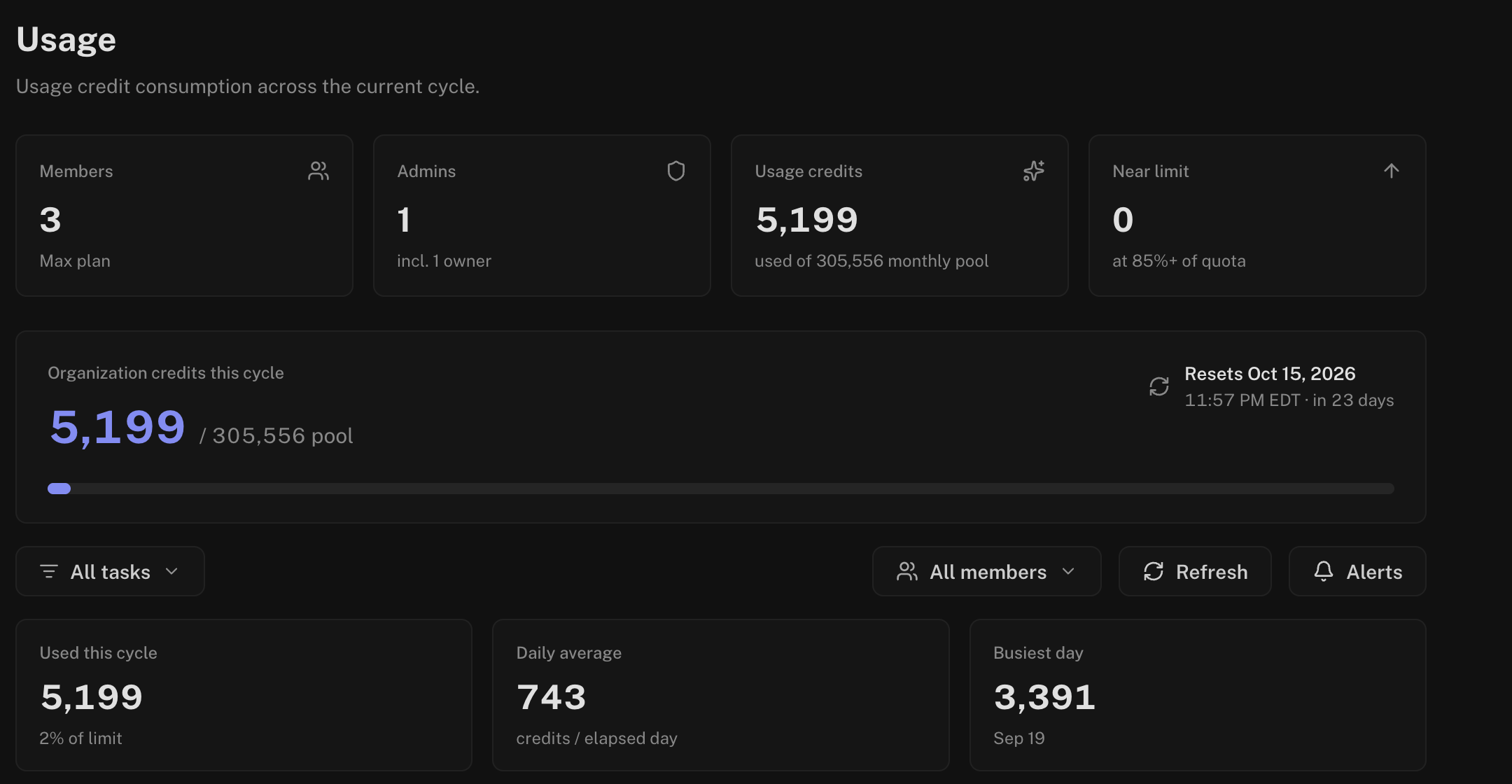
- Usage page. Open Organization (or Account) from the account menu, then Usage: credits this cycle and when they reset, Daily credit usage, and a Breakdown by task. Organization owners and admins can narrow it to one member.
When Credits Run Out
The message box shows when your allowance resets, and a banner offers the next step. Your conversations and files stay as they are.
- Buy more credits. On Plus, Pro, and Max you can top up at any time. Owners and admins buy usage credits from Organization → Credits (Plus accounts from Billing). Purchased credits add to the pool and never expire.
- Ask for more of the pool. In an organization, each member has an allocation of the shared pool. A member who runs out sends a quota request from the Usage page, and an owner or admin approves it from Messages.
- Upgrade. A bigger plan gives a bigger allowance: Plans in the account menu.
Next Steps
Organizations
Members, roles, credit allocation, and billing for your team.
Review Pricing
How Drawing Reviews are priced and paid.
Questions? Email support@stru.ai or book a call.