

Your Account
Memory
Stru remembers your preferences across conversations: codes, units, formats, and how you like things done. See, edit, add, or import what it remembers.
Say It Once
Stru remembers what you tell it about how you work (your code editions, units, report conventions, the checks you always want) and brings the relevant memories into every new conversation. You stop repeating the same instructions at the top of each chat.
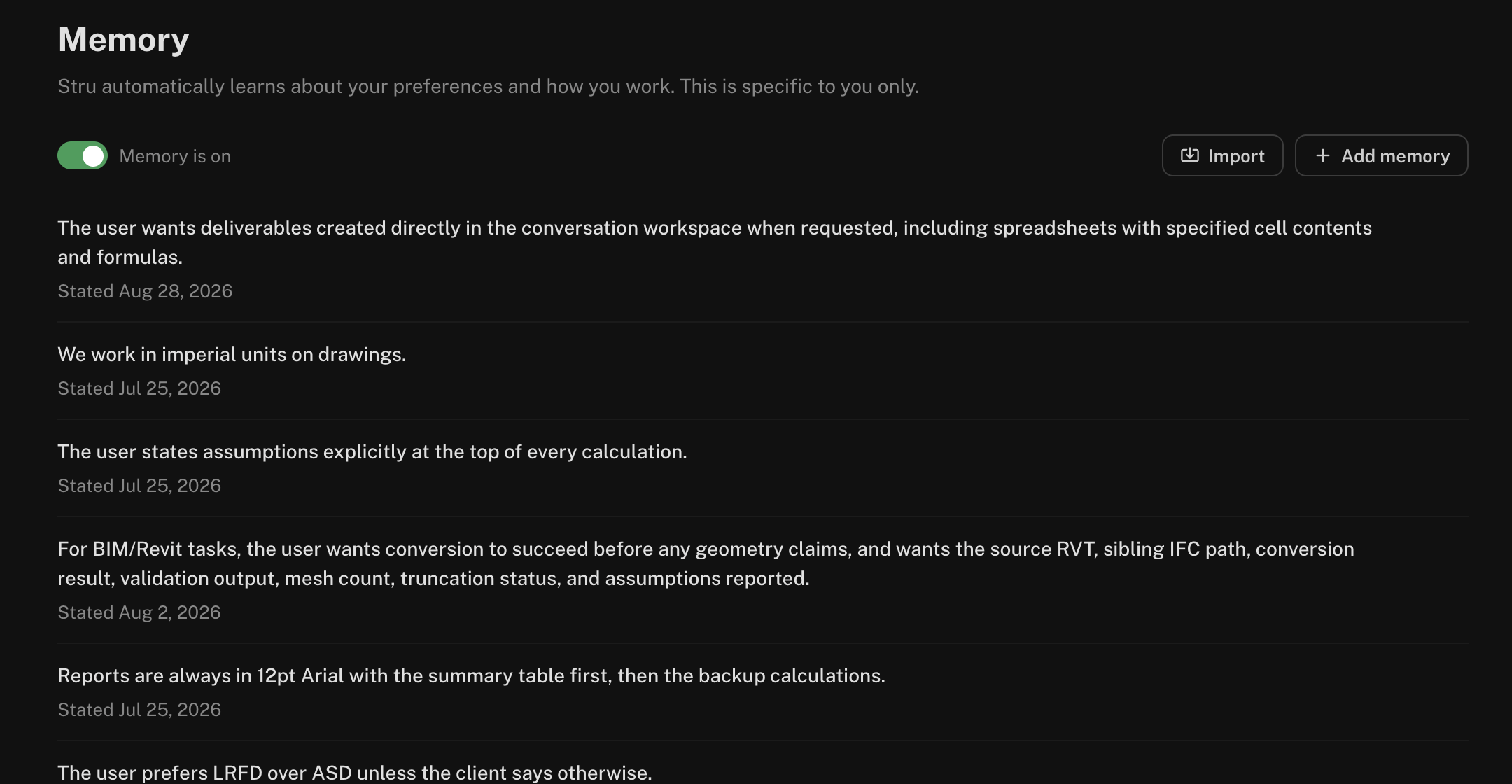
Memories are personal: yours shape your conversations, and nobody else sees them.
How Memories Are Made
- From your conversations. When you state a lasting preference (“we always design to ACI 318-19”, “report steel in metric”), Stru picks it up.
- When you ask. Say “remember that our calc sheets use two decimal places” and the agent saves it.
- By hand. Add or import them on the Memory page.
On each message, Stru brings in only the memories that matter for what you’re asking.
See and Change What It Remembers
Open the account menu in the top-right, choose Personal Account, Account, or Organization, then Memory.
- Add memory writes one yourself.
- Edit any memory to reword it.
- Forget removes one.
- The Memory is on switch at the top turns memory on or off. Off stops new memories and stops using them; what’s stored stays until you turn it back on.
Import Your Notes
Already keep a working-preferences file, a checklist, or notes for your team? Click Import, paste it in, and Stru splits it into individual memories you can review and edit.
Design codes: ACI 318-19, AISC 360-22, ASCE 7-22 unless the
project says otherwise.
Units: US customary, kips and feet.
Calc sheets: show every load combination, bold the governing one.
Reports: executive summary first, one page max.
Next Steps
Using the Chat Input
Everything the message box can do.
Your Standards Folder
Templates and formats for your deliverables.
Email support@stru.ai for help.